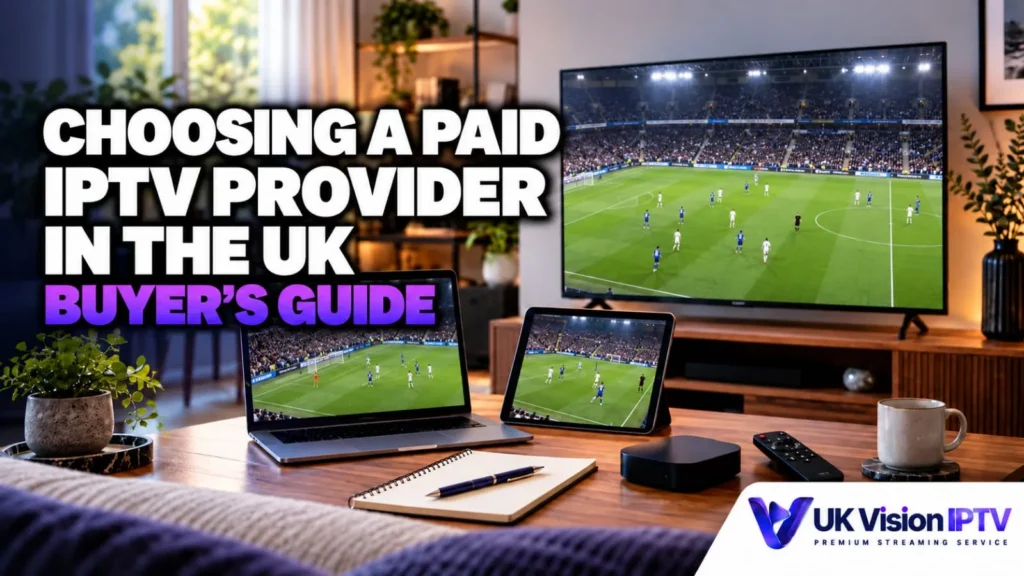
Choosing a paid IPTV provider in the UK is less about finding a loud “number one” claim and more about checking whether a service fits your viewing habits, devices, budget and expectations. This buying guide is published by UK Vision IPTV, which means we sell the service described on this site. It is not an independent ranking, and you should compare the evidence and terms for yourself before paying. If you are comparing the best IPTV UK options, use the checks below to test the fit rather than relying on a ranking.
The practical answer is simple: when comparing the best IPTV UK options, compare the full price and plan terms, test the service on the device and connection you intend to use, check the channels and programme guide you actually need, and make sure support and refund information are clear.
Key takeaways
- Do not choose a provider on channel count or a “best” badge alone.
- Check the current plan price, device connections, trial conditions and refund terms before paying.
- Use a trial on your own device, player and broadband connection where possible.
- Verify that the service and the content you access are properly authorised for your use.
What does “best IPTV UK” actually mean?
Search results for “best IPTV UK” often look like rankings, but the word “best” hides several different needs. One viewer may care most about sports and live-event availability. Another may need a simple Smart TV setup, several household connections or reliable help with a player. A large advertised catalogue does not prove that the channels you want will be available, easy to find or suitable for your device.
Use “best IPTV UK” as a starting point for a checklist, not as a promise that one provider is right for everyone. A useful comparison asks what is included, what is supported, what happens when something goes wrong and whether the provider explains its limits honestly.
Compare IPTV providers UK plans by total cost
Start with the amount you will actually pay for the term you want. At the time of this editorial check (19 October 2026), the local UK Vision IPTV Pricing page shows one-device options of £29 for 3 months, £49 for 6 months, £59 for 12 months and £99 for 24 months. The page also offers a one- or two-device selector, so check the selected option and current checkout terms before comparing prices with another service.
- Check the total upfront price, not only a monthly equivalent.
- Confirm the subscription length and the number of device connections included.
- Ask whether the plan expires at the end of the term or renews automatically.
- Look for activation charges, add-ons, payment conditions or other costs shown at checkout.
- Save the plan details and purchase terms that applied when you ordered.
The current local terms say that trial and subscription terms are those displayed at the time of request or purchase, and that any stated device or connection limit applies. They do not publish a general automatic-renewal rule on the pages checked for this guide. Confirm the renewal position before paying rather than assuming that a fixed-term plan will or will not renew.
For current plan options and prices, see the UK IPTV subscription plans.
Check the trial conditions before choosing a provider
A trial is useful only when it lets you test the setup you will actually use. The local UK Vision IPTV trial page describes a 24-hour trial with no credit card required and no obligation to purchase. It recommends checking the service on your compatible device, including channel access, playback quality, device compatibility and setup support.
Use the trial to check the specific Firestick, Smart TV, Android TV box, Apple TV, phone, tablet or computer you intend to use. Test the player you plan to keep, browse the categories you care about and try the connection from the location where you normally watch. A trial cannot guarantee future availability, but it can expose a device, player or network mismatch before you commit to a longer term.
The trial page also notes that selected sports and pay-per-view events are subject to availability and applicable rights. Treat that qualification seriously: do not assume that a trial, a channel name or a marketing list proves that every programme is available to you.
You can review the 24-hour IPTV free trial before choosing a paid plan.
Confirm device and player compatibility
“Works on all devices” is not a useful buying test. Compatibility depends on the device model, operating system, app availability, player configuration and the connection method supplied with the subscription. The local Devices page lists supported categories including Amazon Firestick and Fire TV, Android TV, Apple TV, Samsung and LG Smart TVs, Roku, Chromecast, NVIDIA Shield, Formuler, BuzzTV, Hisense VIDAA, Windows, Mac, iPhone, iPad and Android phones and tablets.
It also lists player options such as IPTV Smarters Player Lite, TiviMate, XCIPTV, Smart IPTV, MyTVOnline, Kodi, IPTV Streamer, IPTV Smarters Pro, IBO Player and SmartOne IPTV. These are examples listed by the local Devices page, not confirmation that each app is available on every model or that every login method works in every version. Check the relevant app store, device guide and current provider instructions for the specific hardware you plan to use.